| Welcome, Guest |
You have to register before you can post on our site.
|
| Forum Statistics |
» Members: 2,944
» Latest member: PaulS
» Forum threads: 2,989
» Forum posts: 15,495
Full Statistics
|
|
|
| Problem with Event Finder & Calendar |
|
Posted by: planz - 2024-02-25, 05:59 PM - Forum: How do I do it in SkyTools 4 Visual?
- Replies (8)
|
 |
Hello
I've been away from Skytools for a while and need some help with the event finder and calendar.
I used to use the Calendar all the time, however I can no longer find it. I've read the help sections on it, but still can't locate the button which will display the Calendar.
Also, every time I use the event finder it defaults to the Mesa Redonda Observatory. Even after I have entered my own location and generated events. If I switch to another tab and then return to the Event Finder, it again displays the Mesa Redonda Observatory.
I can't seem to delete that location, nor can I see a way to default the event finder to my location.
Any help with these two issues would be appreciated.
Thank you.
|

|
|
| Display Messier and Caldwell numbers in plan |
|
Posted by: Ikon308 - 2024-02-19, 01:31 PM - Forum: How do I do it in SkyTools 4 Visual?
- Replies (2)
|
|
I am using ST4 v4.0.11.02, and imported several AL observing lists.
How to display Messier and Caldwell catalog numbers in the ST4 observing plan to cross-reference Astronomical League checklists, so that ST4 is useful for AL observing projects?
Messier numbers are searchable in ST4, but do not display as the target ID or alternate ID. For some reason Caldwell numbers (recognized by The Astronomical League, published by a respected astronomer) are not searchable in ST4.
All the Best!
David Stokes
|
|
|
|
 Override the "almost full moon?" [Answered: EAA Version will address this] |
|
Posted by: EmeraldHillsSkies - 2024-02-18, 01:32 PM - Forum: How do I do it in SkyTools 4 Visual?
- Replies (4)
|
|
We have a couple of guests in town staying with us this weekend. They're going to come with me tonight for an observing session with the scope, so I opened up SkyTools in hopes of using the Nightly Observing List Generator. I clicked Showpieces, asked for a "very large" list and clicked the "Create observing list" button. The list came up empty-handed. Then I saw the warning at the bottom: "If your results are empty, please check the date on the nightly planner to ensure that it is not near full moon." One way or another, I'm going to take these guests for an observing session. We all know that, even with a 74% moon, there are indeed objects in the sky that we can all still enjoy - and these guests can only come with me tonight. Using EAA, the 74% moon tonight will almost not even be a factor. Is there any way to override this setting - which renders the Nightly Observing List virtually useless for my needs today? May I request that, in the EAA version, can we add a checkbox that allows the user to "Ignore the impact of the moon"? Because - in this case, - it feels like yet another instance of the software thinking that it's smarter than the user. I say that because it is virtually saying to me, "It's not worth observing tonight." But it *is* worth observing tonight. If I'm out of line, please tell me. Maybe I just need to realize that there's a kind of philosophy behind SkyTools that is, in effect, trying to force me into a box that isn't compatible with my observing style. Maybe I shouldn't be bringing these issues up in the forum. Because there are bound to be other users who would just take SkyTools at its word and skip observing tonight completely. If I'm not that kind of observer, please tell me if I should just go find another targeting list/observing application.
|
|
|
|
| Astronomical League Observing Programs |
|
Posted by: jeffshy - 2024-02-16, 05:07 PM - Forum: How do I do it in SkyTools 4 Visual?
- Replies (7)
|
|
Two questions regarding logging relating to Astronomical League Observing Programs:
1. Most of the observing programs for the Astronomical League require information regarding observing conditions beyond that of just seeing and transparency. Some require a notation of the weather and moon phase. How can these be recorded in SkyTools? I assume these should go in the "Observing Conditions" box in the log, but since the conditions generally are unchanged from observation to observation, entering these detailed conditions for each log entry becomes cumbersome and prone to error. I suppose I can just copy and paste, but am wondering if there is an alternate place for this data (with the session, if session data could be printed with the log), or perhaps some other way to default the data.
2. I do mostly EAA and record the image at the end of the observation. For AL observing programs, this qualifies for the "image" version of the observing program which usually requires that an image be provided with the log. To do so, the images can be provided electronically, but it is also permissible to send a printed copy of the image. If I save a copy of the image with the object, is there a way that I can print the image with the log that is being printed? Is there a way to associate an image directly with an observation?
I understand that you are working on an EAA version of SkyTools. I'm really looking forward to that and have my credit card number ready to submit for purchase as soon as it's released.
Thanks,
Jeff
|
|
|
|
| SkyTools 4 Pro Atlas is Remarkable |
|
Posted by: EmeraldHillsSkies - 2024-02-15, 03:30 PM - Forum: Visual Deep Sky Observing
- Replies (7)
|
|
In my electronically-assisted astronomy (EAA) session last night, I was *amazed* at the detail in SkyTools 4 Pro's Atlas. I was trying to see if I could see the galaxy cluster labeled ACO 2065 in SkyTools. This galaxy cluster is known as Abell 2065, but often listed (not just in SkyTools) with the "ACO" designation so it won't be confused with the Abell Catalog of Planetary Nebulae. (I was curious as to why we use "ACO" for the galaxy cluster catalog listing and found that ACO is an acronym referring to the *three* authors of that catalog, George Abell, H. Corwin, and R. P. Orowin.) Make no mistake - these are difficult targets. In Harrington's Cosmic Challenge, Harrington maintains that this target is extremely difficult in an 18-inch scope. In fact, as the author of the book, he's honest about the fact that he rarely can detect these galaxies through his own 18-inch. (Part of the reason is - the galaxy cluster is 1 billion light years away.) But the stunningly beautiful charts built into SkyTools serve patient observers amazingly well. Here's a screenshot of the moment I found the galaxy known as MCG 5-36-18 (also known as PGC 54868).
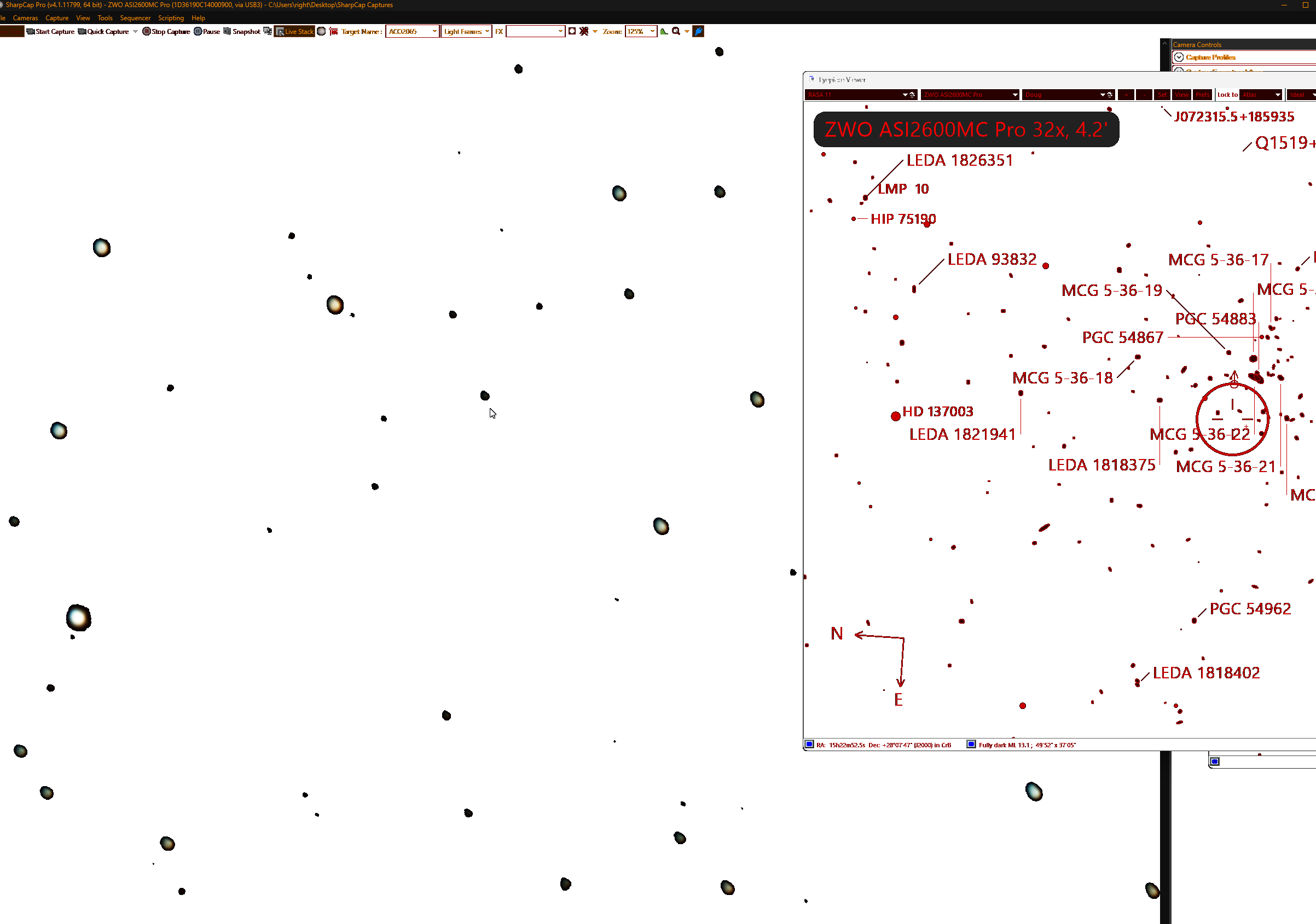
The left window of the screenshot above is the "live" view through my RASA 11. I believe my cursor might just be pointing directly at MCG 5-36-18 (PGC 54868). The *right* window, obviously, is the Atlas from SkyTools. There's a lot of information there. But it REALLY helped.
In contrast, for what it's worth, please allow me to insert below a screenshot of Stellarium's view of the area:
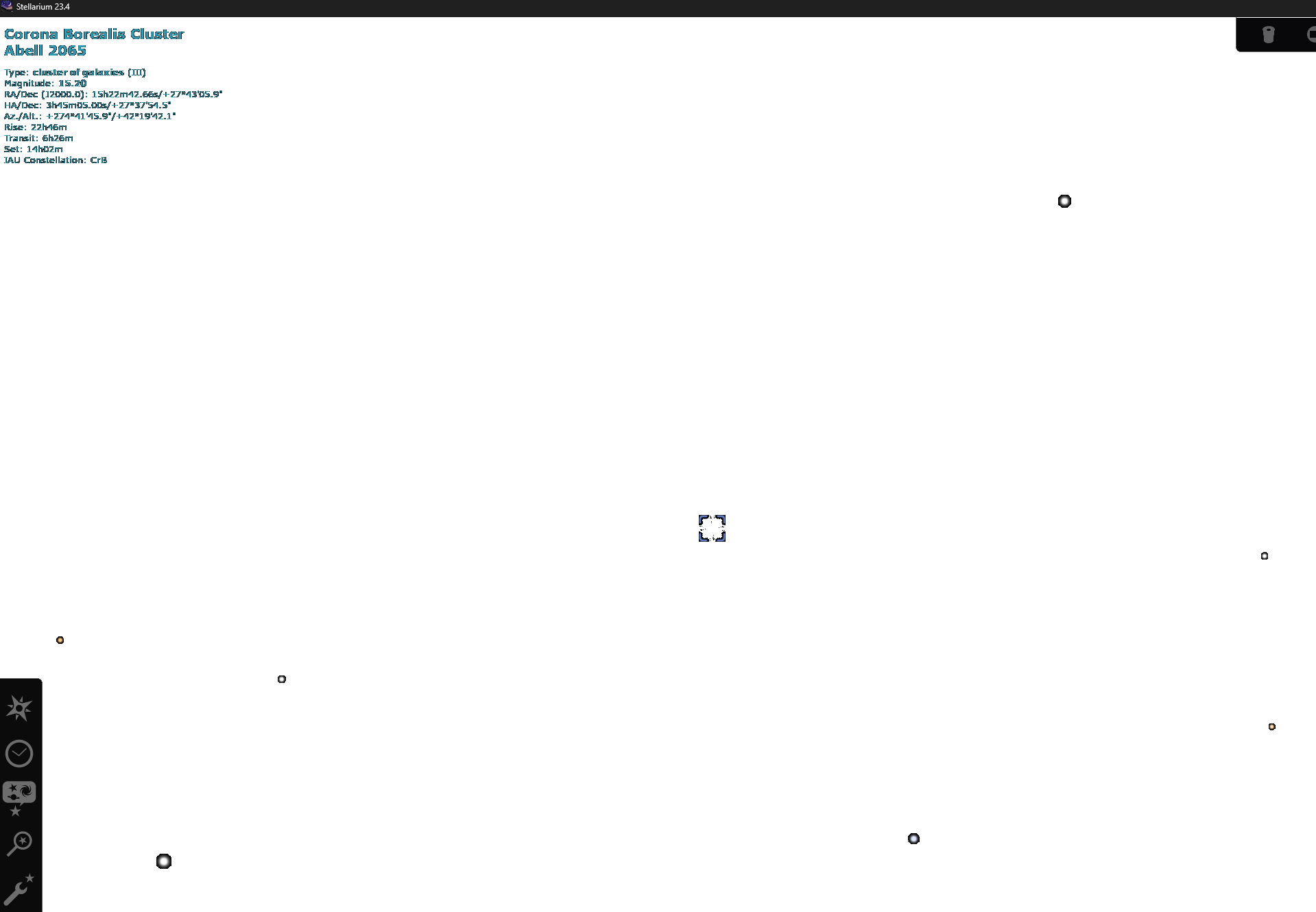
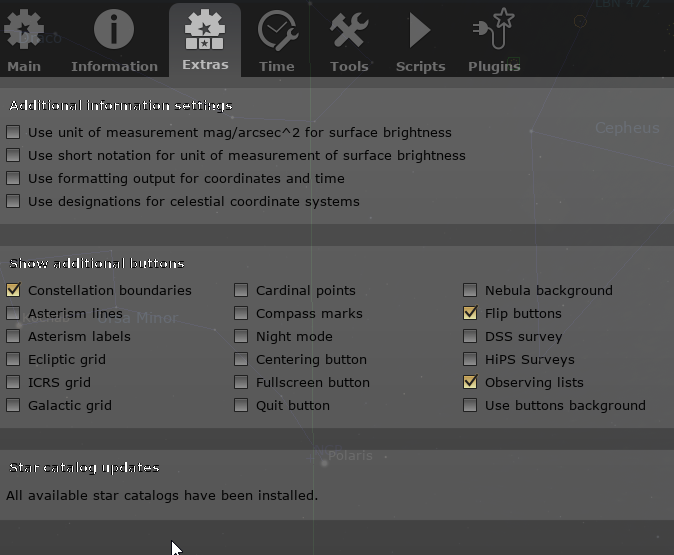
If you're confused by the screenshot above, it's no wonder. Essentially, Stellarium just provides a placeholder for ACO2065 -- and this is in spite of the fact that I have loaded into Stellarium every last catalog that is possibly available. Note the message at the bottom of this dialogue box in Stellarium attesting to the fact that "all star catalogs have been installed:"
So whereas SkyTools has an *enormous* amount of sky data about *each* *individual* *star* (let alone the galaxies and galaxy cluster), Stellarium shows *dead* *black* *empty* *space*.
Blank space.
This is Version 23.4 of Stellarium. It's the very latest version:
Now that I've experienced SkyTools - with an 11-inch RASA telescope -- I can't *imagine* using Stellarium as my primary atlas ever again. I'd be missing so much!
Of course, now I'm all-the-more eager for Greg to release the EAA version of SkyTools - because SkyTools was bound and determine to tell me that it was impossible for my RASA 11 to *detect* these galaxies -- which is one of the many reasons why I'm relying on EAA instead of an eyepiece.
If you'd like to see my painstakingly (and I'm sure, *annoying*) search to get oriented in this part of the sky hahahaha, check out the live stream below. I've taken the liberty of cueing it up to the moment I start working with the Atlas to try to find these galaxies (which are, by the way, Magnitude 17 and 18 -- and a mere 1 BILLION Light Years distant... and are only pinpoints at that distance). (Again, apologies for the fact that I'm still very new at using SkyTools. But even in the hands of a downright newbie, it's still incredibly helpful.)
https://www.youtube.com/live/o6urHY1f7rE...s08&t=5736
So - if you're listening Greg, thank you for your work. I'm not sure if you will hear the part of the video in which one of the viewers of the live stream chimes in, "Oh yes... SkyTools was developed by a professional astronomer. That's why it has all this information." : )
(But also, if you're listening, please keep this kind of astronomy in mind for the EAA version and please remove all of the suggested limitations on my scope. With EAA, many of those limitations just don't seem to apply any more. Please let us see the entire list of targets, regardless of what SkyTools thinks we *ought* to be able to detect, and let the *scope* decide which ones it can see - please. Thank you brother!!!)
I'm "all in" on SkyTools.
Doug
|
|
|
|
| Hyperleda |
|
Posted by: obrazell - 2024-02-12, 12:08 PM - Forum: Catalogs & Designations
- Replies (8)
|
|
I note that many other planning software and charting programs are now using the 5 million strong HyperLeda galaxy catalogue. Although this is probably far more than myself as a visual observer would ever need I would have thought for the EAA version this might be something of interest. Do you have any plans to update these catalogues, perhaps for 4.2?
|
|
|
|
| Target Scheduler for Minor Planets |
|
Posted by: astroarushi@gmail.com - 2024-02-08, 01:42 AM - Forum: How do I do it in SkyTools 4 Imaging?
- Replies (6)
|
|
Hello All,
I am using the Sky Tools 4 Imaging to find PHA Asteroids visible at my location at a given night.
I downloaded the Latest list of PHA's through the Data -> Minor Planets tab.
When I try to search for asteroids in my location, I am not able to view asteroids from this list, and only see the default 55 bright asteroids.
How do I add all these downloaded PHA's into my Target List Folders?
Thank you.
Arushi
|
|
|
|
| 6 Comets, a planet, and an asteroid in one night |
|
Posted by: EmeraldHillsSkies - 2024-02-06, 02:24 PM - Forum: Visual Comets
- Replies (2)
|
|
Thanks to SkyTools, we were able to see 6 comets, a planet, and an asteroid - all in one night. Here's the YouTube Live Stream:
https://www.youtube.com/live/4-F_w_6wN-M...LagYgYtd8L
Thanks to Greg for inventing SkyTools, which undergirded this session. I'm still learning how to use it - but I'm already loving it... The unified, curated list, the atlas, the attractive night vision mode... it's all amazing.
|
|
|
|
|


